
Posts from this topic will be added to your daily email digest and your homepage feed.
See All Tech
Posts from this topic will be added to your daily email digest and your homepage feed.
See All News
Posts from this topic will be added to your daily email digest and your homepage feed.
See All Google
The company is adding a couple features to let you use Assistant without saying ‘Hey Google’
The company is adding a couple features to let you use Assistant without saying ‘Hey Google’
Posts from this author will be added to your daily email digest and your homepage feed.
See All by Jay Peters
Posts from this author will be added to your daily email digest and your homepage feed.
See All by Jay Peters
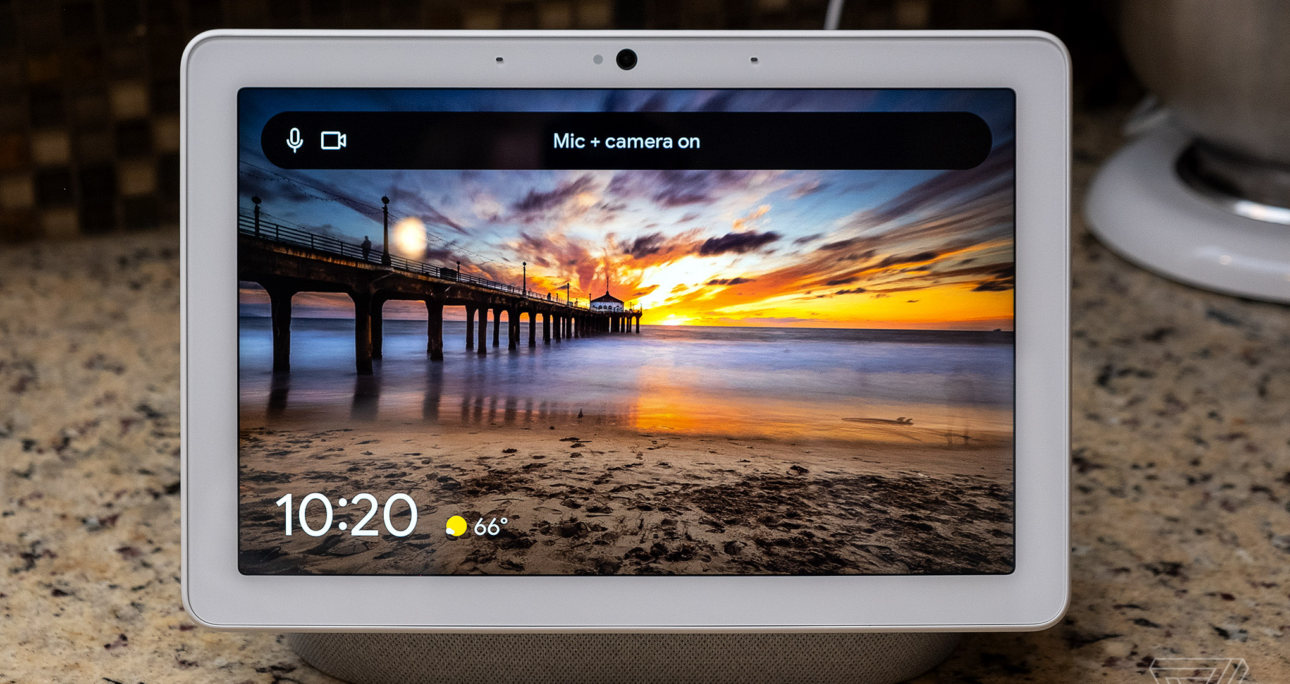
The Nest Hub Max’s latest updates let you use Google Assistant without having to say “Hey Google” ahead of every request.
One of the ways that’ll work is with a new feature Google calls “Look and Talk.” Once it’s turned on, you’ll be able to look at the Nest Hub Max’s display and ask a question, no “Hey Google” prompt required. The feature could be a handy way to save some time when you’re already looking at a Nest Hub Max’s screen — I could see it being a useful way to ask for recipes.
Look and Talk is an opt-in feature, and you’ll need to have both Google’s Face Match and Voice Match technologies turned on to use it, according to a blog post from Sissie Hsiao, Google’s vice president of Assistant. Audio and video from the Look and Talk interactions will be processed on the device. Look and Talk will be available first on the Nest Hub Max in the US.
A Google spokesperson declined to say whether the feature would come to other devices. “For now, we plan to roll it out on the Nest Hub Max, but we are always open to exploring other opportunities to improve the Assistant experience for our users,” Google spokesperson Katie Hutchison said.
Google is also bringing its quick phrases feature to Nest Hub Max so that you don’t have to say “Hey Google” ahead of a handful of some common requests. According to Hutchison, quick phrases, which first launched with the Pixel 6 last year, can be used to:
Quick phrases on the Next Hub Max will launch in the US later this summer.
Google is working to make Assistant understand you better in general, too, even when you pause or drop an unconscious “um” into your requests. The company says Assistant will be able to do this thanks to more powerful speech and language models, and Hutchison tells me the features will be rolling out on an ongoing basis over the next year.
The company’s overall goal is to make talking with the Assistant a little more natural. “Talking to Assistant isn’t quite normal, right?” Google’s Nino Tasca said in an interview with The Verge’s David Pierce. “You have to issue a command, like, say a person’s name, issue a query, then wait for it to respond, and then maybe come back. It’s kind of like a ping pong ball. We’re trying to get past that because that’s not natural.”
Posts from this author will be added to your daily email digest and your homepage feed.
See All by Jay Peters
Posts from this topic will be added to your daily email digest and your homepage feed.
See All Google
Posts from this topic will be added to your daily email digest and your homepage feed.
See All Google Assistant
Posts from this topic will be added to your daily email digest and your homepage feed.
See All Google I/O 2025
Posts from this topic will be added to your daily email digest and your homepage feed.
See All News
Posts from this topic will be added to your daily email digest and your homepage feed.
See All Tech
A free daily digest of the news that matters most.
This is the title for the native ad
8
Verge Score
This is the title for the native ad
© 2026 Vox Media, LLC. All Rights Reserved
Google will let you talk to Assistant on the Nest Hub Max just by looking at the screen – The Verge
Related Posts
 fev 1, 2026
 fev 1, 2026
 fev 1, 2026